Smart Solutions · ClientCastالحلول الذكية · ClientCast

Message every client. In one click.راسل كل عملائك. بضغطة واحدة.

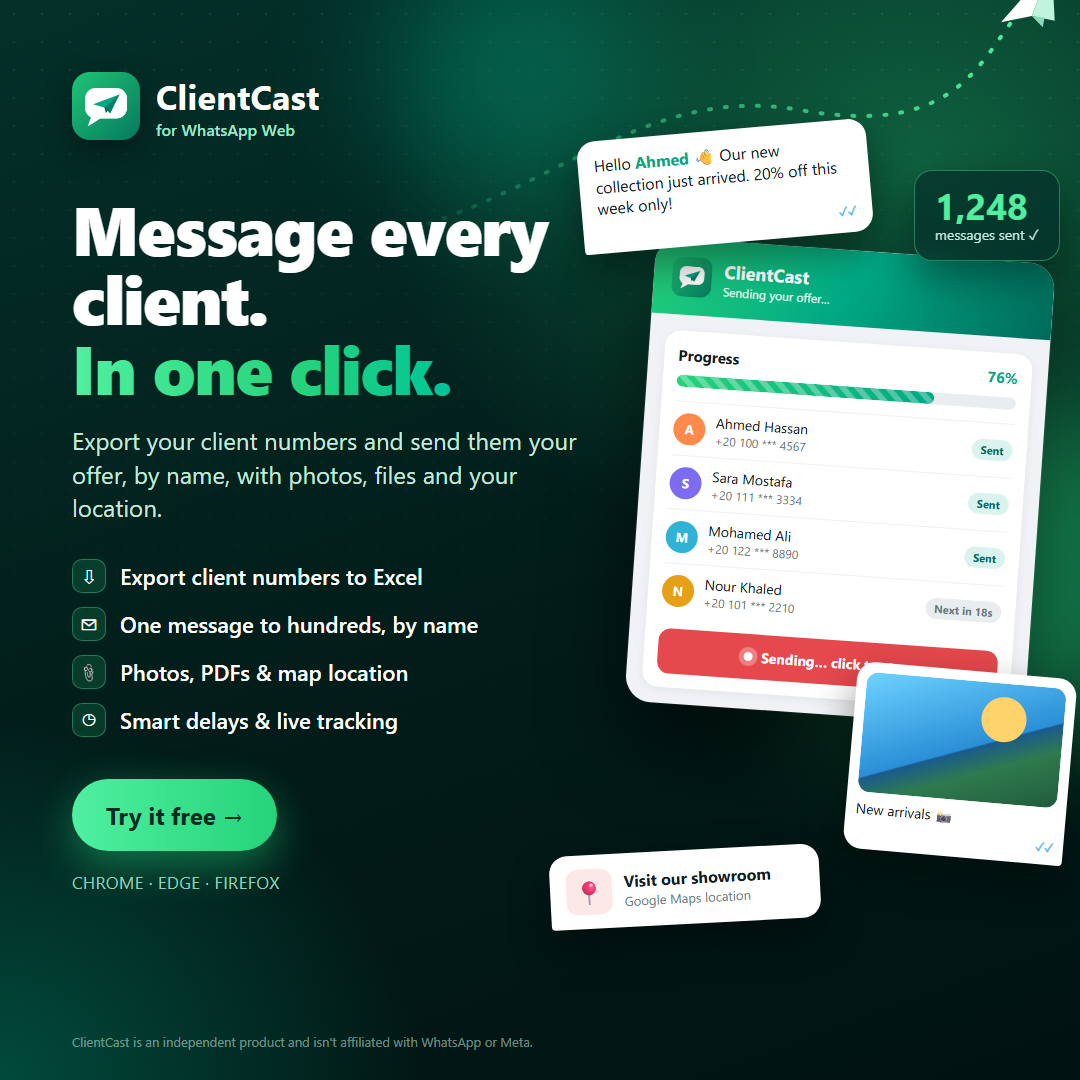
ClientCast is a browser extension for WhatsApp Web. It collects the numbers of everyone you chat with and sends them your offer, each greeted by name, with photos, files and your location.ClientCast إضافة للمتصفح تعمل مع واتساب ويب. تجمع أرقام كل من تتحدث معهم وترسل لهم عرضك، كل عميل باسمه، مع الصور والملفات وموقعك.

Works on Chrome, Edge and Firefox · Arabic & Englishيعمل على Chrome و Edge و Firefox · عربي وإنجليزي

ClientCast
Featuresالمزايا

Everything you need to reach your clientsكل ما تحتاجه للوصول إلى عملائك

⇩

Export numbersاستخراج الأرقام

One click lists every client from your chats with names and last chat date. Save to Excel.ضغطة واحدة تعرض كل عملائك من المحادثات بالأسماء وتاريخ آخر محادثة، واحفظها في Excel.

✉

Personal bulk messagesرسائل جماعية شخصية

Write once; {name} greets every client personally. Pick from the list or paste numbers from Excel.اكتب مرة واحدة، و{name} يحيّي كل عميل باسمه. اختر من القائمة أو الصق الأرقام من Excel.

📎

Photos, files & locationصور وملفات وموقع

Attach up to 10 photos, PDFs or catalogs, and add your Google Maps location.أرفق حتى 10 صور أو ملفات PDF أو كتالوجات، وأضف موقعك على خرائط جوجل.

◷

Smart delaysفواصل زمنية ذكية

Natural random pauses between messages, with a live progress bar for every client.فواصل عشوائية طبيعية بين الرسائل، مع شريط تقدّم مباشر لكل عميل.

✓

Clear resultsنتائج واضحة

See who received it, who isn't on WhatsApp and who failed, at a glance.اعرف من استلم الرسالة ومن ليس على واتساب ومن فشل الإرسال إليه بنظرة واحدة.

ع

Arabic & Englishعربي وإنجليزي

Full Arabic interface, right-to-left, with one-click switching.واجهة عربية كاملة من اليمين لليسار، مع التبديل بضغطة واحدة.

How it worksطريقة العمل

Up and running in 5 minutesجاهز للعمل في 5 دقائق

Create an accountأنشئ حساباً

Sign up in the client portal and download ClientCast.سجّل في بوابة العملاء وحمّل ClientCast.

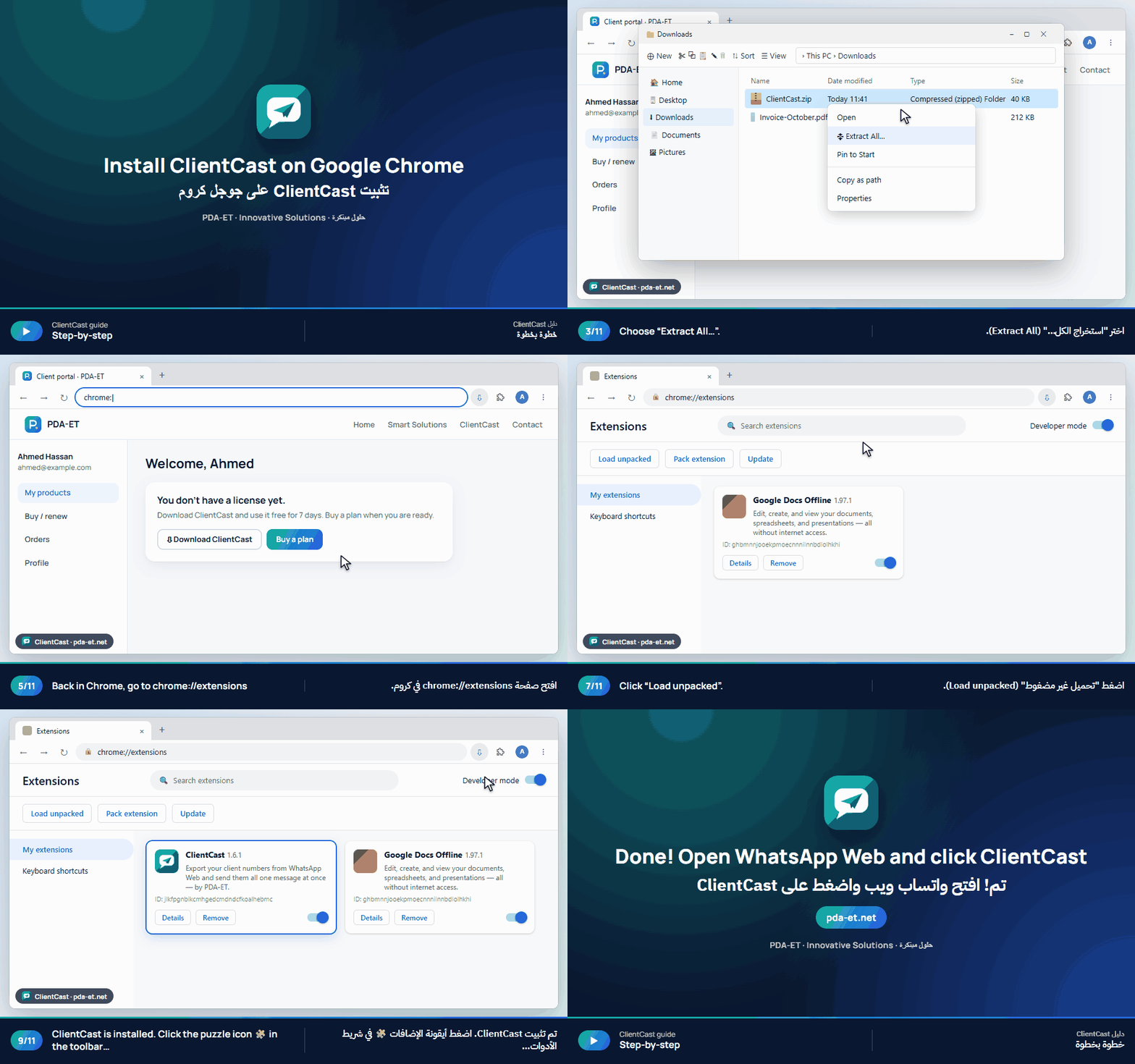
Installثبّت الإضافة

Add it to Chrome, Edge or Firefox and open WhatsApp Web.أضفها إلى Chrome أو Edge أو Firefox وافتح واتساب ويب.

Try it freeجرّب مجاناً

Use everything free for 7 days.استخدم كل المزايا مجاناً لمدة 7 أيام.

Pay with InstaPayادفع عبر InstaPay

Transfer, upload your receipt, and get your license key in the portal.حوّل المبلغ وارفع الإيصال واستلم مفتاح الترخيص في البوابة.

Video guidesشروحات مصوّرة

See how to install and use itشاهد طريقة التثبيت والاستخدام

Short animated guides for each browser. Download them to keep or share with your team.شروحات قصيرة متحركة لكل متصفح. حمّلها للاحتفاظ بها أو شاركها مع فريقك.

ClientCast guide
Pricingالأسعار

Simple plans. Cancel any time.باقات بسيطة. ألغِ في أي وقت.

Every plan starts with a 7-day free trial. Personal works on one computer; company plans cover your whole team with one key.كل الباقات تبدأ بتجربة مجانية 7 أيام. الباقة الشخصية لكمبيوتر واحد، وباقات الشركات تغطي فريقك كله بمفتاح واحد.

Questionsأسئلة شائعة

Do I need a WhatsApp Business account?هل أحتاج حساب واتساب للأعمال؟

No. ClientCast works with any WhatsApp account opened in WhatsApp Web on your computer.لا. يعمل ClientCast مع أي حساب واتساب مفتوح على واتساب ويب في جهازك.

How do I pay with InstaPay?كيف أدفع عبر InstaPay؟

Choose a plan in the client portal. You'll see our InstaPay address, the amount and an order code. Transfer, upload the receipt, and your license appears in the portal once we confirm, usually within a few hours.اختر الباقة من بوابة العملاء. ستظهر لك عنوان InstaPay والمبلغ وكود الطلب. حوّل وارفع الإيصال، وسيظهر ترخيصك في البوابة بعد التأكيد، غالباً خلال ساعات قليلة.

Can my number get banned?هل يمكن أن يتم حظر رقمي؟

WhatsApp limits bulk messaging. Message only real clients who know you, keep batches moderate (about 50–100 a day) and keep the built-in delays. ClientCast is a tool; you're responsible for how it's used.واتساب يقيّد الرسائل الجماعية. راسل عملاءك الحقيقيين فقط، واجعل الدفعات معتدلة (حوالي 50–100 يومياً)، واترك الفواصل الزمنية كما هي. ClientCast أداة، وأنت المسؤول عن طريقة استخدامها.

Do you have plans for companies?هل توجد باقات للشركات؟

Yes. Team covers 3 computers and Business covers 10, all with one license key you manage from the client portal. For more than 10 computers, contact us for an Enterprise quote with team onboarding and a company invoice.نعم. باقة "فريق" تغطي 3 أجهزة و"أعمال" تغطي 10 أجهزة، بمفتاح ترخيص واحد تديره من بوابة العملاء. لأكثر من 10 أجهزة تواصل معنا لعرض سعر للمؤسسات يشمل تدريب فريقك وفاتورة باسم الشركة.

Can I use a promo code?هل يمكنني استخدام كود خصم؟

Yes. Type it under "Have a promo code?" when you choose a plan in the client portal; the discounted price shows before you pay.نعم. اكتبه في خانة "لديك كود خصم؟" عند اختيار الباقة في بوابة العملاء، وسيظهر السعر بعد الخصم قبل الدفع.

Can I move my license to a new computer?هل يمكنني نقل الترخيص لجهاز جديد؟

Yes. Remove the old computer from the extension or from the client portal, then activate on the new one.نعم. أزِل الجهاز القديم من الإضافة أو من بوابة العملاء، ثم فعّل الترخيص على الجهاز الجديد.

Is ClientCast made by WhatsApp?هل ClientCast تابع لواتساب؟

No. ClientCast is an independent product by PDA-ET and isn't affiliated with WhatsApp or Meta.لا. ClientCast منتج مستقل من PDA-ET وغير تابع لواتساب أو Meta.